Staying out of the way
App rules
Keep timing while you read in certain apps, or keep wellness reminders quiet in others.
App rules let specific apps change how Pauselle behaves while they are in front. Find them in Settings → App rules.
Rules apply only to the app in the foreground. Sleep, screen lock and Smart Pause still take priority.
Keep timing while I read
Pauselle normally pauses when you stop typing or moving the mouse (see Idle tracking). That is not ideal when you are reading code, a long document or a PDF.
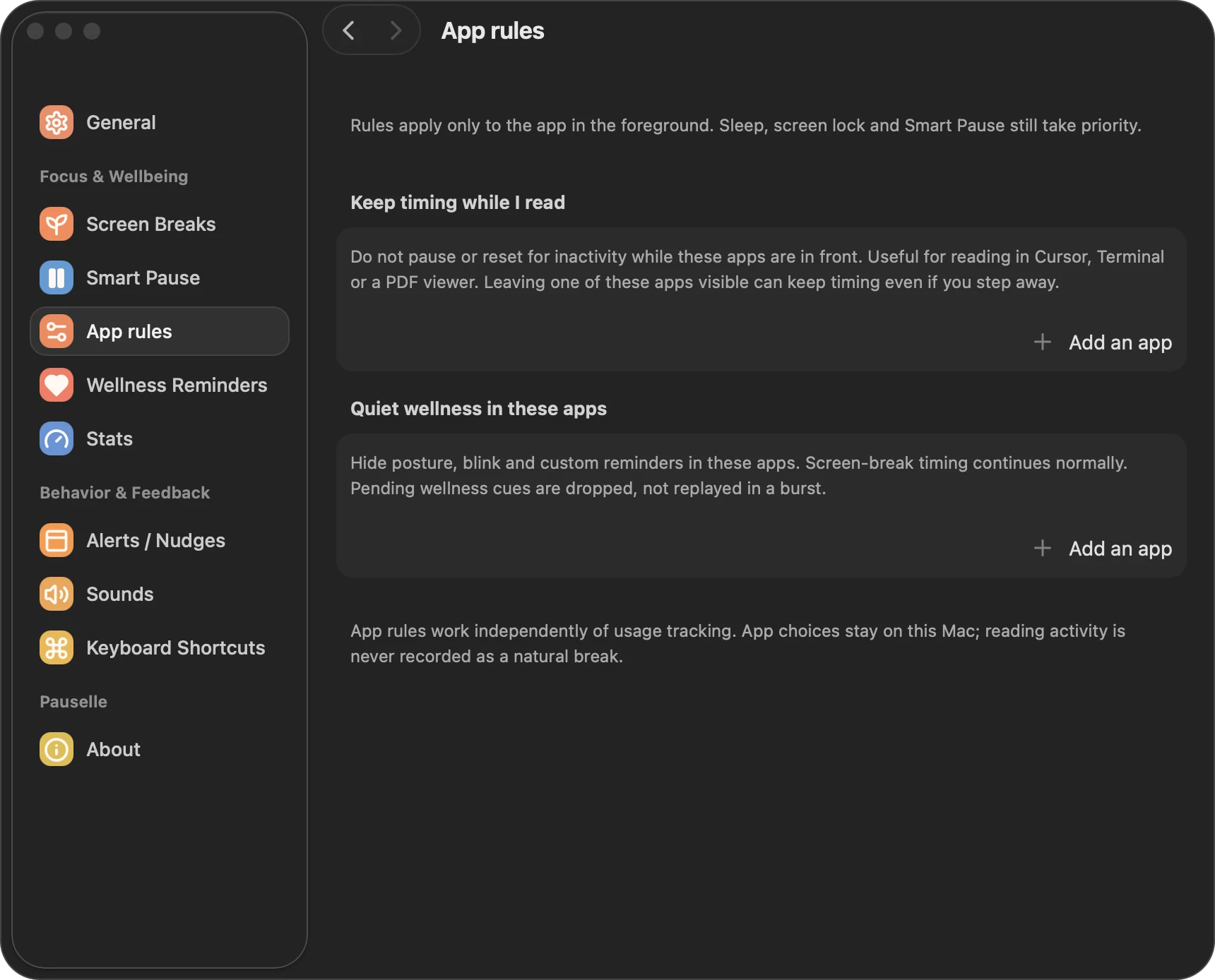
Add apps such as your code editor, Terminal or PDF viewer here. While one of them is in front, Pauselle does not pause or reset for inactivity, so your reading time still counts toward the next break.
Note. If you leave one of these apps on screen and walk away, Pauselle keeps timing.
Quiet wellness in these apps
Add apps where you don’t want posture, blink or custom reminders, for example a presentation or video app. While one of these apps is in front, wellness reminders are hidden. Screen-break timing continues normally.
Reminders that come due in a quiet app are dropped rather than saved up, so you don’t get a burst of them when you switch apps.
Privacy
App rules work independently of usage tracking. Your app choices stay on your Mac, and reading time is never recorded as a natural break.