Wellbeing
Alerts & nudges
Know a break is coming, see when you have worked too long, and get notified about Smart Pause.
Pauselle gives you a few small signals so breaks never come as a surprise. Find them in Settings → Alerts / Nudges.
Break reminder
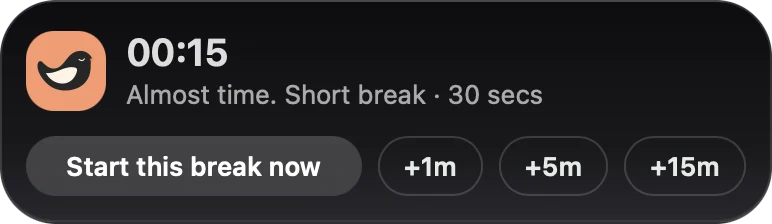
A small heads-up appears shortly before a break, so you can finish your thought.
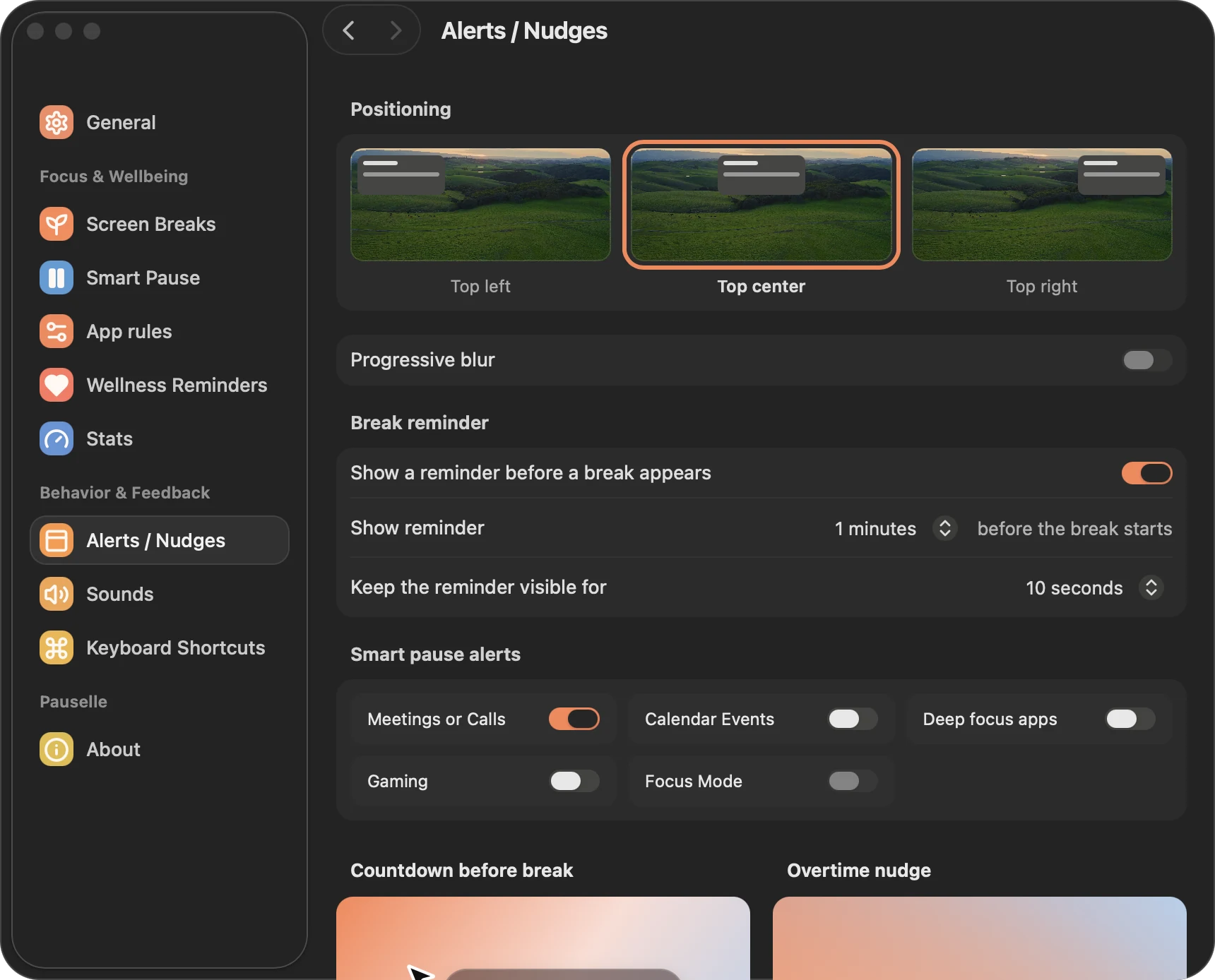
- Show a reminder before a break appears: on by default.
- Show reminder: 20 seconds, 30 seconds, 1 minute (default) or 2 minutes before the break starts.
- Keep the reminder visible for: 5, 10 (default), 15, 30 or 60 seconds.
- Positioning: top left, top center (default) or top right.
From the heads-up you can Start break right away or snooze it by 1, 5 or 15 minutes (if your snooze limits allow it). If you still have advance skips today, you can also skip the upcoming break.
Countdown before break
A countdown that follows your cursor in the last seconds before a break, for example Short break in 5.
- Enabled: on by default.
- Countdown duration: 3, 5 (default) or 10 seconds.
Overtime nudge
Shows how long you have been working past your chosen screen time, for example +12m. It counts continuous screen work: it grows if you keep working through or after skipping breaks, and resets when you take a break or are away for 5 minutes or more. Shake the mouse to dismiss it.
- Enabled: off by default.
- Show even when paused: also show it while Pauselle is paused.
Smart Pause alerts
When Smart Pause starts because of an activity, Pauselle can show a short notice. Each activity has its own switch:
| Activity | Default |
|---|---|
| Meetings or Calls | On |
| Calendar Events | Off |
| Deep focus apps | Off |
| Gaming | Off |
The same switches appear in each activity’s Options in Smart Pause.
Planned breaks and returning from idle
Planned breaks and the Welcome back notice from idle tracking use the same heads-up position.